
Advanced Flight Modeling Simulation is excited to announce the release of the G5 PFD/HSI avionics add-on. The Advanced Flight Modeling G5 is a simulation inspired by the Garmin G5 and is for X-Plane 11. It is a true to life simulation which may be ran in different modes for your favorite aircraft(s) in X-Plane.
The AFM G5 electronic flight instrument is an all-in-one backup or primary “glass cockpit” display. The G5 has 2 pilot-selectable main page formats: a PFD page and a DG (directional gyro) or HSI (horizontal situation indicator) page. By combining visual cues and data readouts once scattered across a myriad of instruments, G5 makes flight information easier to scan — so pilots can respond more quickly and intuitively to any inflight situation.
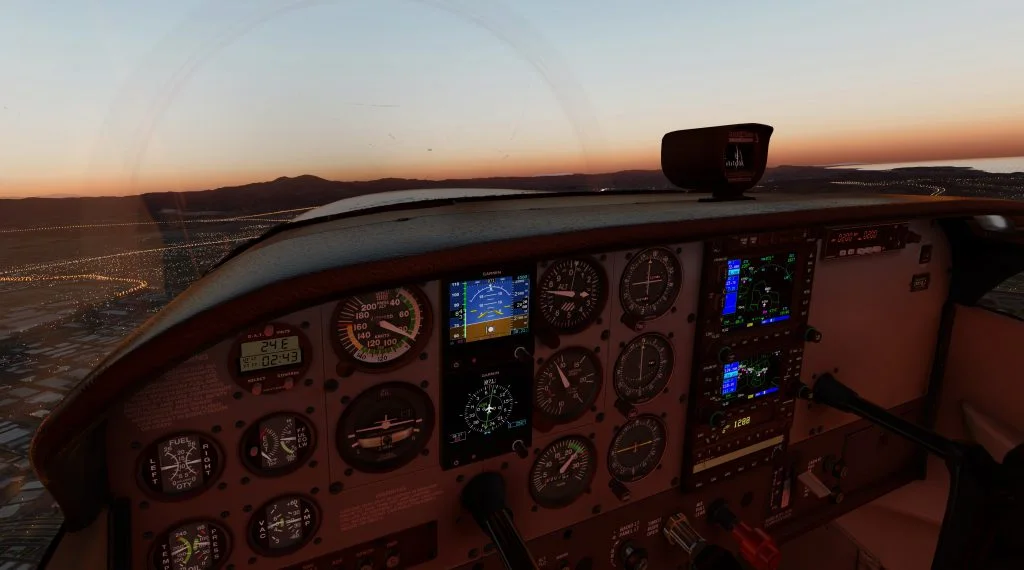
Highlighted Features
- Can be ran with any aircraft in pop-out mode, or in the 3D cockpit when an aircraft developer includes the option for it.
- The default X-Plane Cessna 172 is included with the G5 mod ready to fly
- A great set of instruments to assist in your instrument scan and assist with safer flight
- Exclusively interfaces with the RealSimGear G5 desktop hardware (Not required but recommended)!
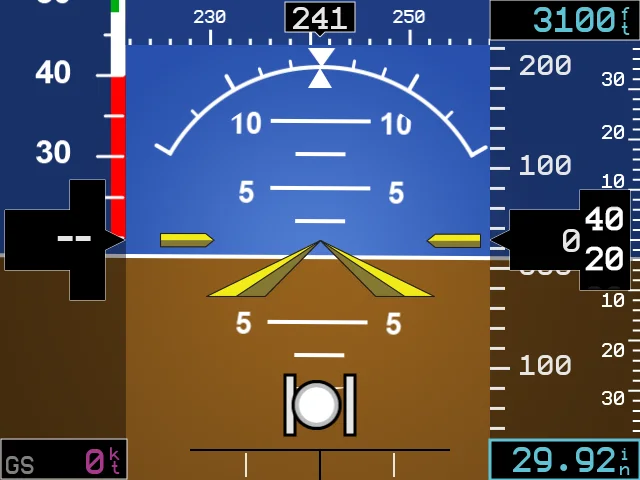
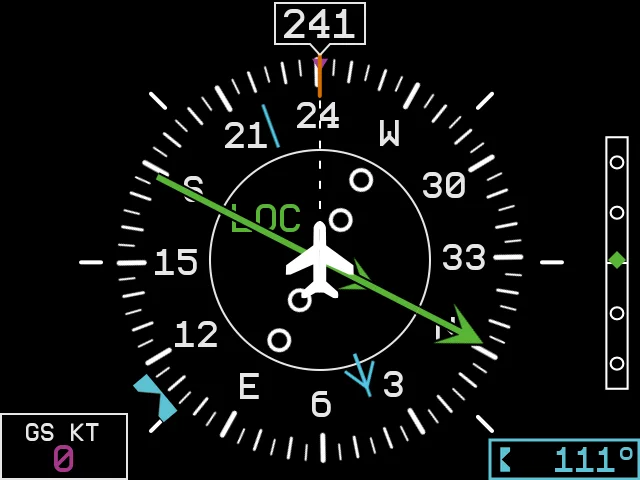
21 comments
The original discussion is preserved below. For help with an aircraft, contact support.
This looks awesome. Will it work with the vFlyteAir Cherokee 140 Modern? (vFlyteAir_Cherokee140Modern)
There should be no issues for it to operate in popup mode without any serious configuring. To integrate into the 3D cockpit, we would be happy to work with vFlyteAir, let them you are interested in seeing it integrated!
I will contact them. I use VR (Oculus Rift) and Popup mode doesn’t work well in that environment.
Any chance you could contact “CARENADO”? Tell them it would be terrific if the
ADVANCED FLIGHT MODELING G5 Avionics (for X-Plane 11) item could be added
to their Beechcraft F33A aircraft (for X-Plane 11). I’d sure be interested in buying it
if it could!
We are ready to work with any developers that want the G5 integrated in their aircraft. If enough customers contact developers, they will hopefully be receptive 🙂
So I fly a real 2004 C172 with two G5s, along with a GTN 750 in place of the GPS. It would be great if I could get a similar setup.
Two questions: will this work in 3d mode with the RealityXP C172? If not, will it work in 3d mode with a default C172 modified with the GTN 750? If it only works in 3d mode with the default C172 and nothing else modified, I would have to give up either the REP or the GTN 750 in order to use these instruments. Thanks.
Oh, it looks like I can answer my own question. RTFN. I see from the Wiki that the G5 will work with REP C172. I know that the GTN 750 will not work with REP because that issue has come up in the past. So I could do this with REP C172 with G5s, no GTN 750 though. Does the G5 HSI accurately integrate with GPS approach modes including LPV etc and also with GPS in OBS mode? Thanks for answering all my questions.
The G5 integrates with the GPS source, it displays whatever the GPS sends to the “HSI” be it an approach, GPS flight plan, or following NAV radios. There is a limitation in the text displayed inside the HSI ring, as that information is not passed within X-Plane.
Love the G5. I have a G3X with G5 backup and GTN650 on my 182. Any chance you will be making G3X or GTN650 for Cessna (either 172 or 182)?
Glad you like the G5! No plans currently for either of those at this time.
Where is the glideslope/localizer ball on the attitude indicator display? How do I enable it? I only see them on the HSI display.
It will be integrated in the next update!
Can two instances of this be run in X-Plane to simultaneously provide a PFD and HSI ?
Yes! The G5 has both an “A” and “B” renderer, A defaults to PFD and B defaults to HSI, but these are two independent units that can be switched around.
RealSimGear G5 with Xplane11 question.
Whenever I hide the panel in the default C172 with the G5s, my RealSimGear G5s stop working, as soon as I bring back the panel on the monitor, the G5s work again. My RealSimGear GNS530 and GNS430 work when the panel is hidden, but the G5s don’t.
Is there a way to hide the panel and still use the RealSimGear G5 hardware?
We have a fix for this sent over to the store that should be coming out shortly. In the mean time, we recommend just positioning the camera over the glareshield.
Any chance you could add the GPSS option? I love this.
To run two G5’s (PFD and HSI) at the same time do I need to buy two or will one purchase do it?
Also, will they interface with my Reality XP GTN650?
Hi Bob,
One purchase gets the G5 software that supports both a PFD and HSI. They interface with the standard X-Plane avionics data, which the RealityXP can write to, so it should work with the RXP GTN650 without issue (many people use it that way).
Hello! I fly the PA-28 in real life and we have ADI + HSI G5, is there a way to integrate them for the PA28 WARRIOR II and PA28 ARCHER III from Justflight? first of all, Thanks.
There currently isn’t an integration to add it to the 3D cockpit, but you can use the G5 in popup mode with nearly any aircraft in X-Plane.